
Download The Bingo Maker – Custom Bingo Cards, Game Night Tool, Personalized Templates
Overview
The Bingo Maker is a dedicated mobile application designed to simplify the creation of personalized bingo cards for users across various settings. Its primary purpose is to empower individuals and event organizers to generate unique, themed bingo cards quickly and efficiently. Whether used for casual family gatherings, school activities, community events, or corporate team-building exercises, the app serves as a practical utility for anyone seeking to enhance group engagement through customizable games.
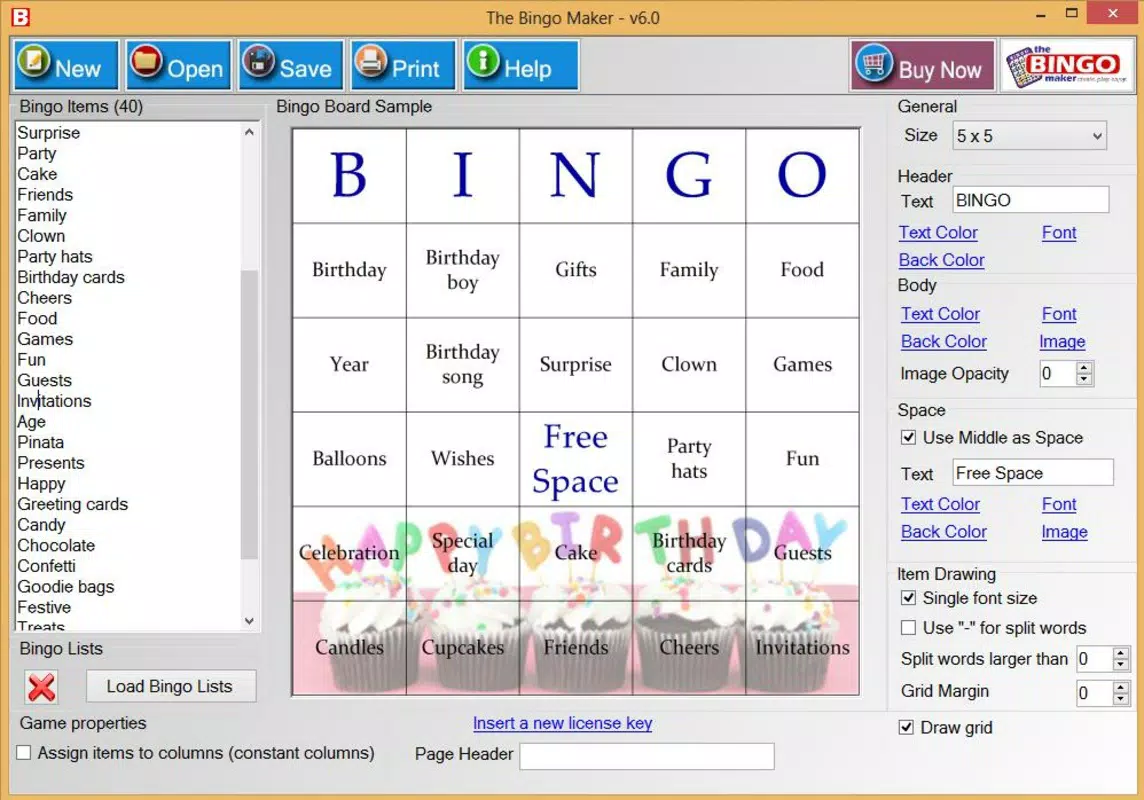
By allowing users to insert personal images, logos, or icons, The Bingo Maker enables a high degree of customization, ensuring that each card reflects the tone and theme of the event. This functionality addresses common challenges in organizing games—such as lack of variety, difficulty in preparation, and time-consuming manual design—by offering a streamlined digital alternative. The app is especially valuable for educators, party planners, and event coordinators who need scalable, reusable game materials.
Although the developer did not provide additional background information, the app’s long-standing presence since its release on November 12, 2013, indicates a level of reliability and user retention. The continued relevance of the tool in the mobile productivity space highlights its importance as a niche but effective solution for event-based gaming. With support for up to 3,000 players, it demonstrates scalability for both intimate and large-scale events, making it a versatile addition to the digital toolkit of modern event organizers.
Key Features & Functionality
- Customizable Bingo Cards: Users can insert personal images, logos, or icons directly into their cards, enabling unique designs tailored to specific themes such as birthdays, holidays, or brand promotions.
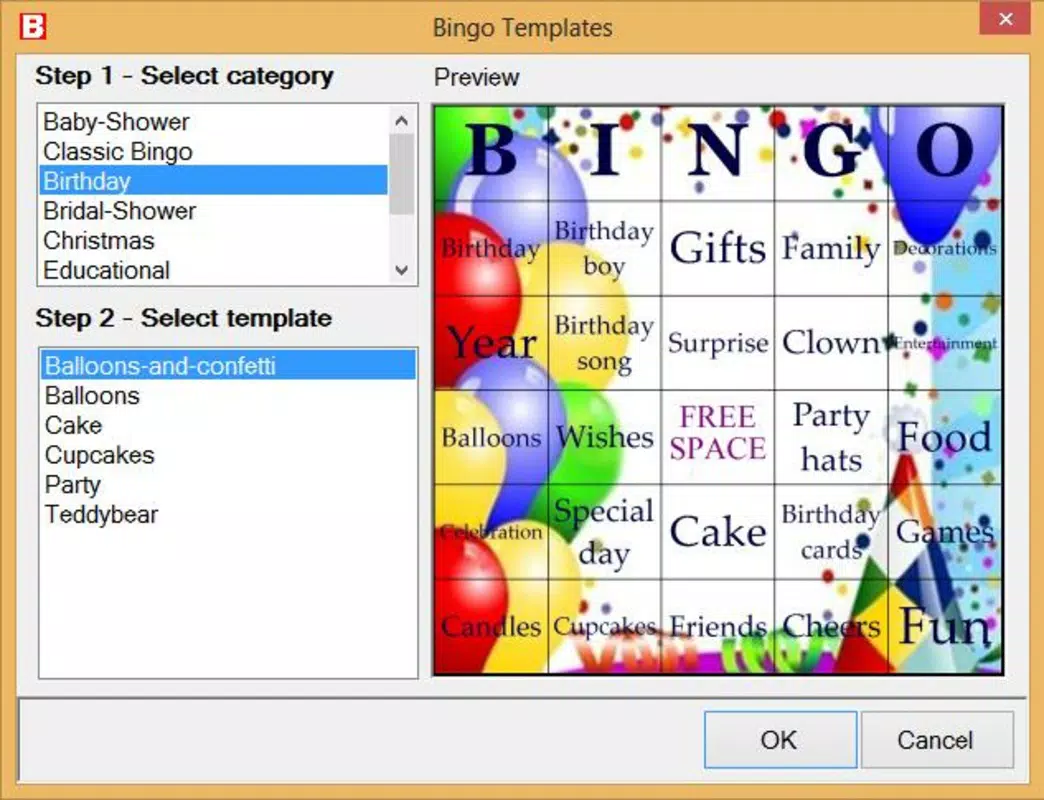
- Template Variety: The app offers over 100 pre-designed templates, each featuring different backgrounds and visual elements, allowing users to select formats that match their event’s aesthetic.
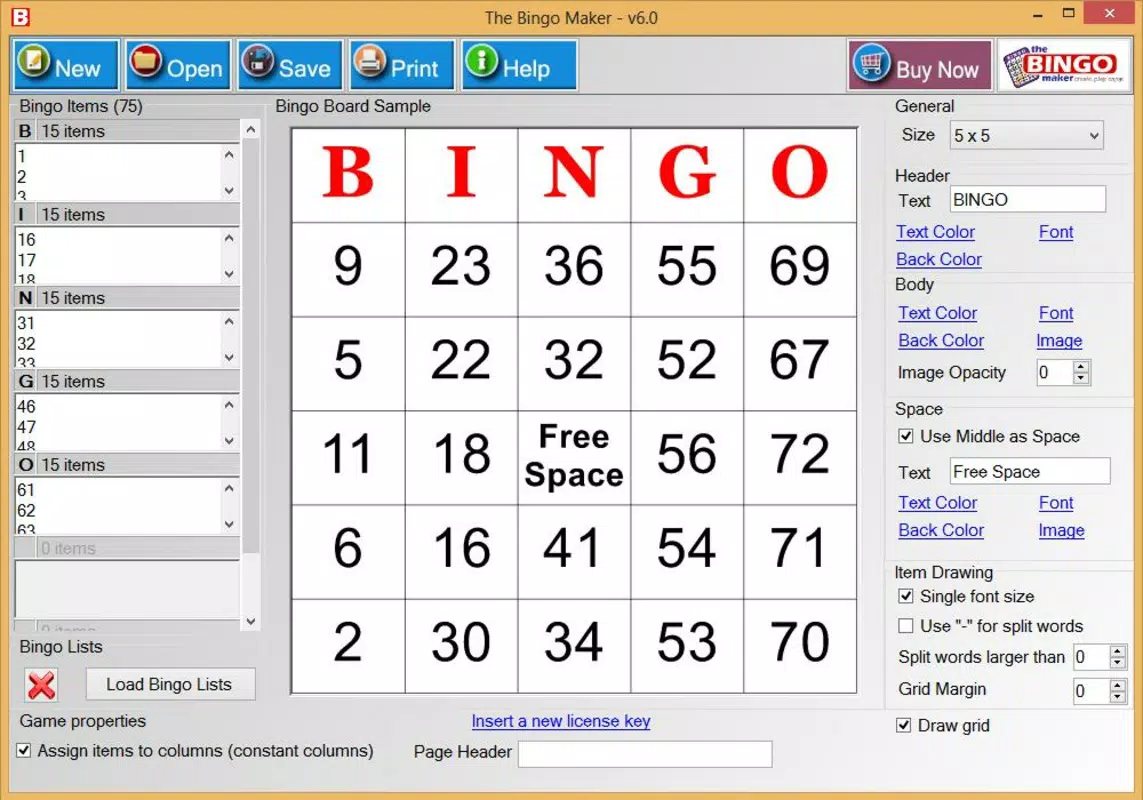
- Multiple Card Sizes: Options for various card dimensions provide flexibility in design, helping users optimize layouts for both digital viewing and physical printing.
- Efficient Printing Options: Users can print up to six bingo cards per page, reducing paper usage and simplifying the distribution process during large events.
- Large Player Capacity: The tool supports up to 3,000 unique cards, making it suitable for mass participation scenarios like community bingo nights or corporate incentives.
For example, a teacher planning a classroom activity can use a themed template with educational images and generate 30 cards for students, all printed on just five pages. Similarly, a marketing team could create branded bingo cards using company logos and distribute them at a trade show to boost engagement. These real-world applications demonstrate the app’s adaptability across diverse use cases, from personal entertainment to professional event management.
Interface, UX & Performance
The interface of The Bingo Maker is designed with usability in mind, featuring a clean layout that guides users through the card creation process step by step. Navigation is intuitive, with clearly labeled options for selecting templates, adding custom content, adjusting sizes, and preparing print outputs. The visual style leans toward simplicity, emphasizing functionality over decorative elements, which helps reduce cognitive load during high-volume tasks.
Users can expect smooth transitions between design stages, with responsive feedback when selecting options or uploading media. Although the developer did not list formal performance metrics, the app’s ability to handle large-scale card generation suggests optimized backend processing. It is expected to function reliably across a range of device categories, including mid-tier smartphones and tablets, though specific device compatibility details were not disclosed.
Stability appears to be a strength, particularly given the app’s longevity since its 2013 release. The absence of reported widespread issues in public forums may indicate consistent performance over time. However, without access to real-time usage data or crash reports, definitive conclusions about long-term reliability cannot be drawn. Overall, the user experience reflects a mature product focused on practicality and ease of use.
Platform Compatibility & Technical Requirements
The Bingo Maker is available on the Android platform, though specific OS version requirements were not listed by the developer. This suggests compatibility with a broad range of Android devices, though users should verify system requirements based on their device specifications. The app’s file size is reported as 16.5 MB, which is relatively lightweight and suitable for devices with limited storage capacity.
While the developer did not specify minimum OS requirements or hardware capabilities, the app’s efficient design and modest size imply it is optimized for older and newer Android versions alike. This broad accessibility enhances its appeal to a wide audience, including users with budget-friendly devices. For users seeking to download or update the app, the lightweight nature ensures quick installation and minimal impact on device performance.
Pros and Cons
Pros
- Extensive library of over 100 customizable templates for diverse event themes.
- Supports up to 3,000 unique bingo cards, ideal for large-scale events.
- Efficient printing options with up to six cards per page reduce paper waste.
- Lightweight file size (16.5 MB) ensures fast download and minimal storage use.
- User-friendly interface with intuitive navigation for quick card creation.
Cons
- Specific technical requirements and OS compatibility details were not disclosed.
- Developer did not provide information about update frequency or long-term support.
- Limited availability—only confirmed for Android, with no indication of iOS support.
- Customization features depend on user-provided content, which may require external image sources.
- No mention of cloud sync or cross-device access in the provided information.
FAQ
Is The Bingo Maker available for iOS devices?
As of now, the app is confirmed for Android only. There is no public information about an iOS version.
Can I use my own images on the bingo cards?
Yes, users can insert personal images, logos, or icons to customize their bingo cards according to their preferred theme.
How many cards can I generate at once?
The app supports the creation of up to 3,000 unique bingo cards, making it suitable for large events or community gatherings.
Is the app free to download and use?
The provided information does not specify pricing details. Users should check the app store listing for current pricing and availability.
Does The Bingo Maker support printing?
Yes, the app includes efficient printing options that allow up to six cards to be printed per page, minimizing paper usage and improving preparation efficiency.
Final Thoughts
The Bingo Maker stands out as a reliable, feature-rich tool for anyone looking to create personalized bingo cards with minimal effort. Its combination of extensive templates, scalable output, and efficient printing makes it a standout choice for educators, event planners, and casual users alike. The app’s long-standing presence in the market reflects its practical value and consistent performance over time.
While some technical details remain undisclosed, the app’s core functionality is robust and well-suited for real-world applications. For those seeking a secure, lightweight, and easy-to-use mobile solution for organizing games, The Bingo Maker delivers clear value. Whether you're preparing for a small family game night or a large public event, this app streamlines the entire process.
Download The Bingo Maker now


